
【2025最新】科学上网翻墙节点搭建教程!认真看都能学会,简单、稳定、安全的节点搭建方法,自建节点搭建教学!高速节点不惧晚高峰,4K视频流畅播放!
TikTok、跨境电商双 ISP 家宽IP 高速 VPS 推荐:
吉云科技官网:【点此进入】
六六云:【点此进入】
一、准备工作
1、VPS一台重置好系统
2、下载SSH连接工具Finalshell:【点此进入】
3、作者开源项目地址:【点此进入】
4、请自行放行VPS需要使用到的端口,部分VPS需要在已购VPS官网的控制台放行端口,如未成功放行搭建时所需要的端口,可能会造成搭建失败!
5、如搭建后出现报错或节点不能正常使用,建议根据视频检查是否有遗漏!
二、SSH连接VPS执行以下命令:
1、必要的更新(Debian/Ubuntu)
apt update -y && apt install -y curl socat wget2、必要的更新(centos系统)
yum update -y && yum install -y curl socat wget三、安装S-UI面板
VERSION=v1.3.7 && bash <(curl -Ls https://raw.githubusercontent.com/alireza0/s-ui/$VERSION/install.sh) $VERSION四、伪装域名
1、测试挑选 SNI 伪装域名
测试挑选 SNI 伪装域名
for d in is1-ssl.mzstatic.com www.bing.com www.microsoft.com vs.aws.amazon.com ts2.tc.mm.bing.net www.intel.com apps.mzstatic.com downloadmirror.intel.com se-edge.itunes.apple.com d1.awsstatic.com ; do t1=$(date +%s%3N); timeout 1 openssl s_client -connect $d:443 -servername $d /dev/null && t2=$(date +%s%3N) && echo "$d: $((t2 - t1)) ms" || echo "$d: timeout"; done五、面板功能
SSH内输入下方命令:
s-ui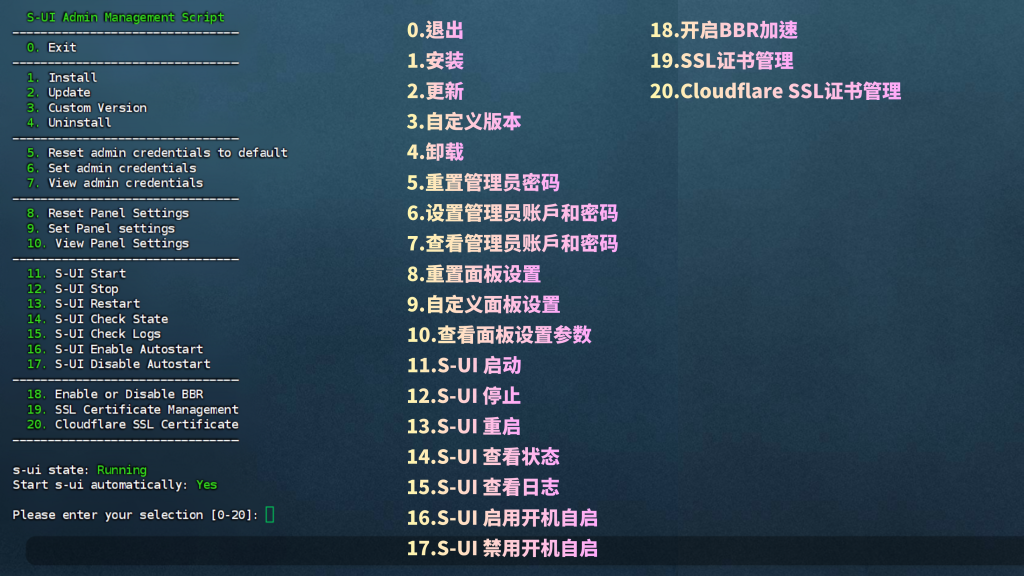
六、卸载 S-UI 面板
sudo -i

systemctl disable s-ui  --now

rm -f /etc/systemd/system/sing-box.service
systemctl daemon-reload

rm -fr /usr/local/s-ui
rm /usr/bin/s-ui
七、建议使用的代理客户端:
1、windows 使用 V2rayN 下载地址:
https://github.com/2dust/v2rayN/releases/tag/7.15.7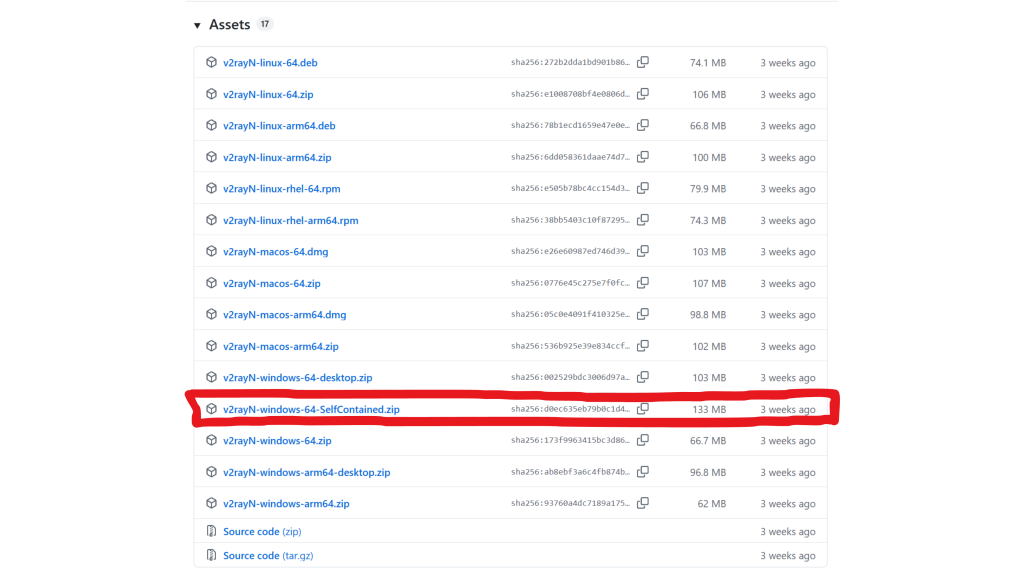
2、Android 使用 NekoBox 下载地址:
https://github.com/MatsuriDayo/NekoBoxForAndroid/releases/tag/1.4.1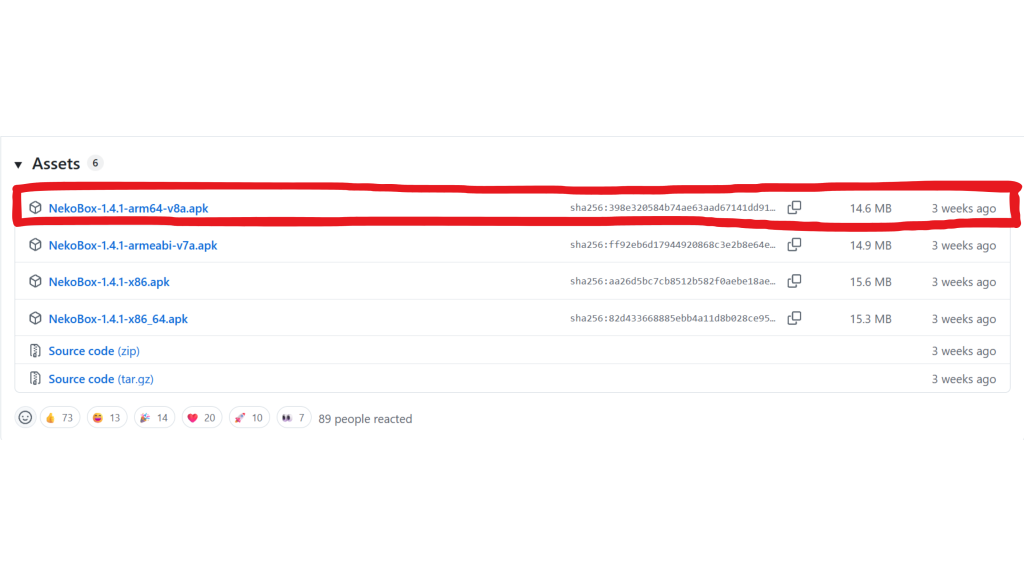
3、IOS/Mac 使用 shadowrocket(小火箭) 购买地址:
https://sudukj.eu.org进入网站后点击页面右下角客服咨询购买,如果购买后未发货或订单问题[请联系右下角客服] ⏰客服在线时间09:00-23:00